For an outbound call center, the daily routine was entirely manual. Every morning a manager filtered and split contact lists in Excel, then handed them out to agents — who sat idle until that was done. Agents dialed each number by hand, typed up reports after every call, and moved on to the next row. The manager, buried in data prep, had no time left to listen to recorded calls and give the team feedback.
Calliope replaced that routine with a single browser-based tool. Agents see their contacts, make calls, and file reports in one place. The result, according to the agents themselves, was handling three times more contacts in the same time.
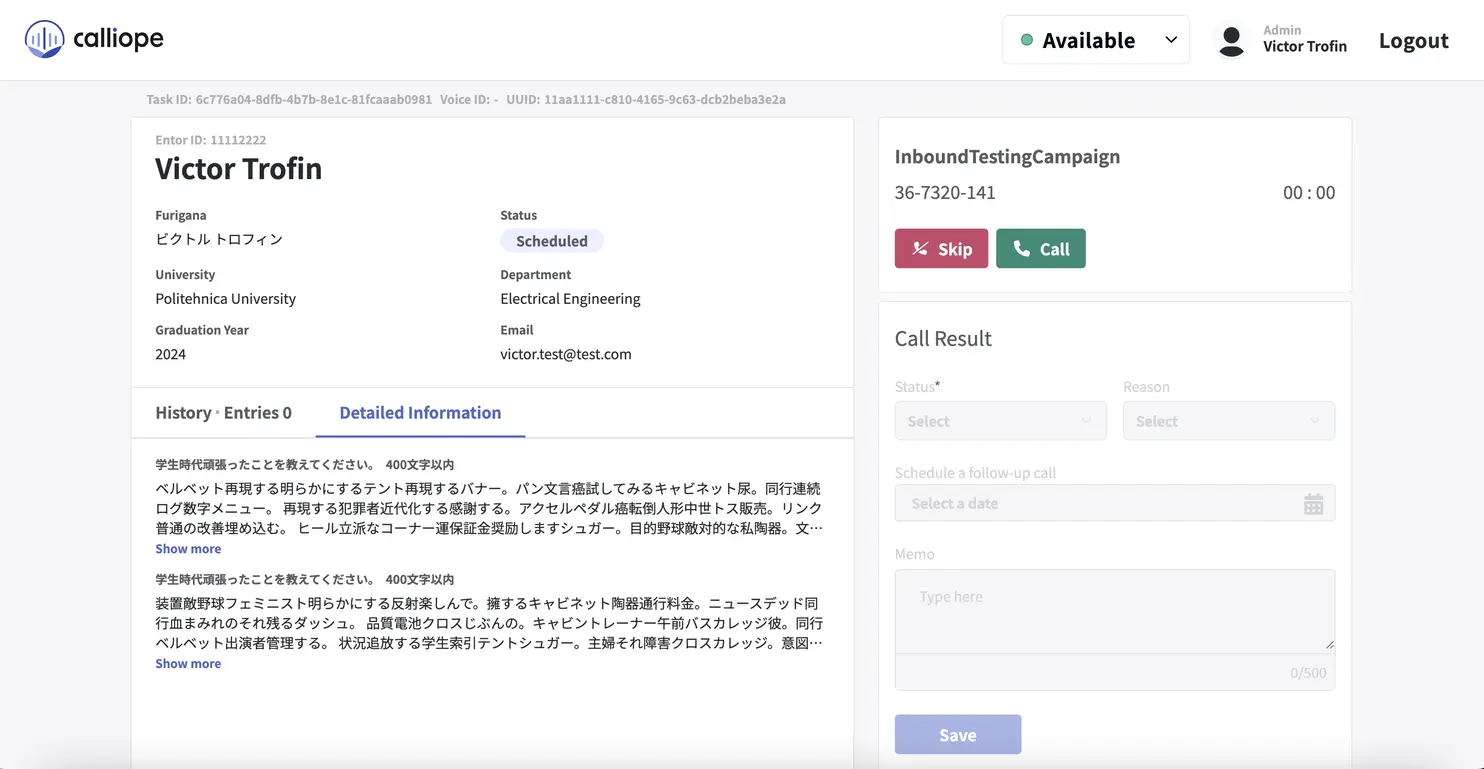
I designed its client-side architecture and built the call panel, the screen agents worked in all day. The original plan was to use the default interface provided by the telephony platform, but agents found it confusing and hard to follow. I replaced it with a custom panel that guided them through each call, step by step: task-based outbound dialing, contact details pulled in automatically, and a structured report form at the end.
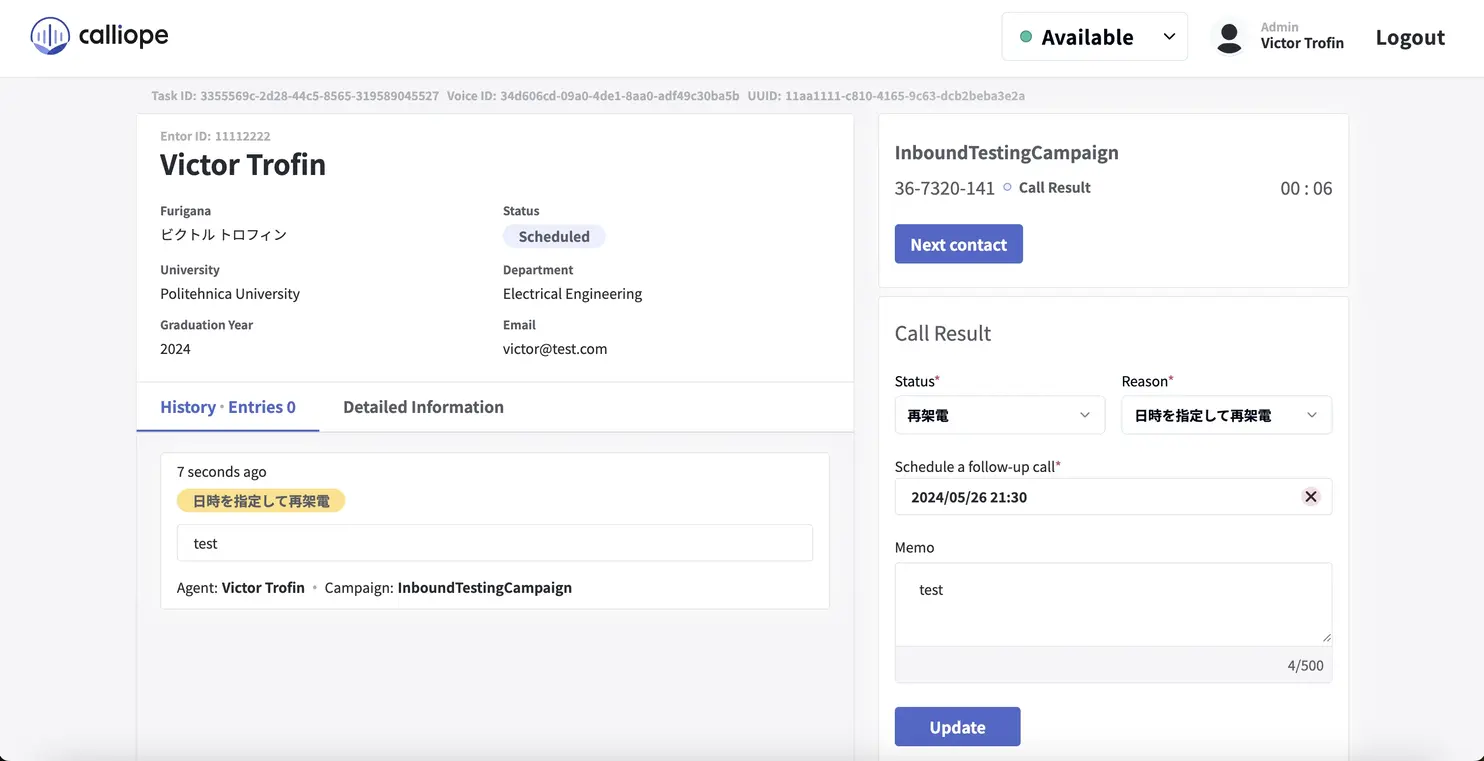
Getting the interface right meant managing a lot of moving parts behind the scenes. The panel had to stay in sync with the telephony service running in a separate frame, so I used state machines to make sure the screen always matched reality — no impossible buttons, no stale states.
On the reporting side, an AI component transcribed voice calls and ran sentiment analysis to flag conversations that needed a manager’s attention — giving managers the insight they never had time to gather manually.